Quick answer: Yes — RamInfotech Data Recovery in Chennai recovers data from damaged, corrupted, formatted or interrupted BitLocker, FileVault, VeraCrypt and hardware-encrypted drives. You must provide the password or recovery key: encryption is designed so that no one, including us, can bypass it, and that is what keeps your data safe.
Secure Data Recovery
Encrypted Data Recovery in Chennai
Encryption protects your data from strangers, but it also makes recovery harder when something goes wrong. A power cut during BitLocker encryption, a failing drive, an accidental format or a broken USB board on an encrypted external drive can all leave the volume unreadable even with the correct password. Our engineers first recover the raw encrypted data from the damaged storage, then use your recovery key or password to decrypt it and rebuild the files. Everything is handled confidentially, and keys are used only for your case.
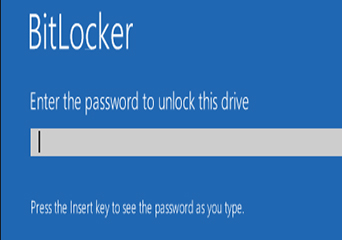
Encryption We Work With
BitLocker
Windows BitLocker and BitLocker To Go on internal drives, external drives and USB sticks.
Apple FileVault
FileVault-encrypted Mac drives and encrypted APFS volumes.
VeraCrypt & TrueCrypt
Encrypted containers and full-disk VeraCrypt or TrueCrypt volumes.
Hardware-Encrypted Drives
Self-encrypting drives and external drives with encryption on the USB board, such as some WD My Passport and My Book models.
Where to Find Your BitLocker Recovery Key
Microsoft Account
Sign in at account.microsoft.com/devices/recoverykey with the account used on the PC.
Saved or Printed Copy
A “BitLocker Recovery Key” text file or printout made when BitLocker was turned on.
Company IT
Work devices often store keys in Microsoft Entra ID (Azure AD) or Active Directory.
USB Drive
Some users saved the key file to a USB drive during setup.
Common Problems We Solve
- ✓ Encryption interrupted by a power failure
- ✓ Decryption stuck or frozen
- ✓ Drive shows RAW after encryption
- ✓ Encrypted drive failing or clicking
- ✓ Encrypted drive formatted
- ✓ BitLocker partition deleted
- ✓ “The parameter is incorrect” error
- ✓ Recovery key prompt after a BIOS or Windows update
- ✓ USB board failed on a hardware-encrypted drive
- ✓ Windows crashed during decryption
- ✓ FileVault Mac will not start
- ✓ VeraCrypt container corrupted
Watch: Data Recovery in Action
What Should You Do First?
Find your password or recovery key before anything else, since recovery is not possible without it. Do not run CHKDSK, format, reinitialise or repartition the drive, and do not repeatedly retry a stuck encryption or decryption on a failing disk. On hardware-encrypted external drives, avoid repeated wrong password attempts, because some drives lock after several failures. Keep the original USB enclosure, as its board may hold the encryption. Then bring the drive in for assessment.
Frequently Asked Questions
Common questions about encrypted data recovery in Chennai.
Do you provide encrypted data recovery in Chennai?
Yes. Raminfotech provides encrypted data recovery in Chennai for accessible and damaged storage.
What encrypted data recovery cases do you handle?
We assess encrypted, password-protected, corrupted, deleted and inaccessible storage.
Can deleted encrypted files be recovered?
Deleted encrypted files may be recoverable when the original data has not been overwritten.
Can formatted encrypted data be recovered?
Formatted encrypted data may be recoverable depending on the format and device condition.
Can corrupted encrypted data be recovered?
Corrupted encrypted storage can be diagnosed for possible logical recovery.
Can inaccessible encrypted drives be recovered?
An inaccessible encrypted drive can be assessed to identify its failure and options.
Can physically damaged encrypted storage be recovered?
Physical damage is assessed carefully before selecting a professional recovery approach.
Can password-protected data be recovered?
Password-protected data can be evaluated while preserving its security and confidentiality.
Can photos and documents be recovered from encrypted storage?
Photos, documents and other files may be recovered after a device-specific diagnosis.
Can encrypted laptop data be recovered?
Encrypted laptop storage can be assessed for logical or physical recovery.
Can encrypted desktop data be recovered?
Encrypted desktop storage can be assessed for inaccessible or damaged data.
Can encrypted external drives be recovered?
Encrypted external drives can be evaluated separately for recovery options.
Do you diagnose encrypted storage first?
Yes. Diagnosis identifies the storage condition and appropriate recovery approach.
Do you provide logical encrypted data recovery?
Yes. Logical recovery covers deletion, formatting, corruption and inaccessible partitions.
Do you provide physical encrypted data recovery?
Physical recovery is assessed according to the type and severity of storage damage.
How much does encrypted data recovery cost?
Cost depends on the encryption, failure, device condition and recovery complexity.
How long does encrypted data recovery take?
Recovery time depends on the failure type, data size, device condition and complexity.
Is encrypted data recovery guaranteed?
Results depend on device condition and encryption, so recovery cannot be guaranteed before diagnosis.
What should I do when encrypted storage is inaccessible?
Stop using it and avoid repeated repair attempts to reduce the risk of further data loss.
Is encrypted data recovery confidential?
Raminfotech handles encrypted recovery with attention to data security and confidentiality.
Related services: Hard Drive Recovery · Laptop/Desktop Recovery · External Media Recovery · SSD Recovery
Need Encrypted Data Recovery in Chennai?
If your encrypted drive is inaccessible or damaged and you have your recovery key or password, contact RamInfotech Data Recovery for confidential assessment.
Call Us Enquire Now